
Author: John G

  • The Power of Word-of-Mouth Marketing (and How to Spark It)

    The Power of Word-of-Mouth Marketing (and How to Spark It)

    When it comes to marketing, nothing beats word-of-mouth. You can spend thousands on ads, SEO, and fancy campaigns, but a genuine recommendation from a happy customer will always carry more weight.

    The best part? Word-of-mouth is free. The challenge is figuring out how to spark it.


    Why Word-of-Mouth Matters

    People trust people more than they trust businesses.

    • 92% of consumers say they trust recommendations from friends and family over any form of advertising.
    • Word-of-mouth leads often convert faster because trust is already built.
    • It’s one of the few marketing channels that grows exponentially — one happy customer can lead to dozens of new ones.

    1. Deliver Memorable Experiences

    The first step is simple: give people something worth talking about.

    • Exceed expectations.
    • Fix mistakes quickly and generously.
    • Add small touches that surprise and delight.

    People don’t talk about average service. They talk about remarkable experiences.


    2. Make It Easy to Share

    Happy customers often want to recommend you, but if it feels like effort, they won’t bother.

    • Give them a referral link or card.
    • Add “Share with a friend” buttons to emails.
    • Encourage reviews on Google and social media.

    The easier it is to spread the word, the more likely they’ll do it.


    3. Build a Community Around Your Brand

    Customers love to feel part of something bigger.

    • Create a Facebook group for your loyal customers.
    • Share behind-the-scenes updates on Instagram.
    • Highlight customer stories and testimonials.

    When people feel involved, they naturally share their experiences with others.


    4. Reward Referrals (The Right Way)

    You don’t have to spend big to thank customers for spreading the word.

    • Offer small discounts.
    • Give early access to new products.
    • Send a personal thank-you note.

    The key is authenticity. Don’t make it transactional — make it feel like appreciation.


    5. Be Worth Talking About

    At the end of the day, word-of-mouth isn’t about gimmicks. It’s about being the kind of business people are proud to recommend.

    Focus on consistency, authenticity, and relationships. When customers trust you and love what you do, the conversations happen naturally.


    Final Thoughts

    Word-of-mouth is the oldest marketing channel in the world — and still the most powerful.

    By creating memorable experiences, making it easy to share, and showing genuine appreciation, you can turn happy customers into your biggest advocates.


    Subscribe To Our Newsletter

    Loading
  • How to Run a Staff Meeting That Isn’t a Waste of Time

    How to Run a Staff Meeting That Isn’t a Waste of Time

    We’ve all been in those meetings — the ones that drag on, go in circles, and leave everyone wondering why they bothered showing up. For many businesses, staff meetings are more of a time drain than a productivity boost.

    But when done right, meetings can actually motivate your team, keep everyone aligned, and drive real results. The difference comes down to structure and purpose.


    Start With a Clear Goal

    Before you even schedule a meeting, ask yourself: What’s the purpose?

    • Is it to update the team?
    • Solve a problem?
    • Gather ideas?

    If you can’t define the goal, you don’t need a meeting — send an email instead.


    Keep It Short and Focused

    Time is valuable. A good rule of thumb: if you can’t cover it in 30 minutes, your agenda is too big.

    • Stick to 2–3 key topics.
    • Park side discussions for follow-up.
    • Start and finish on time — always.

    This shows respect for your team and keeps energy levels high.


    Give Everyone a Voice

    A meeting shouldn’t just be management talking at staff. Encourage input:

    • Go around the table (or screen) for updates.
    • Ask open questions.
    • Give quieter team members space to share.

    People engage more when they feel heard.


    End With Action Points

    Too many meetings end with “Alright, that’s it then.” The result? No one knows who’s doing what.

    Always wrap up with:

    • Clear actions.
    • Who’s responsible.
    • Deadlines.

    That way, the meeting actually leads to progress.


    Don’t Be Afraid to Skip Meetings

    Sometimes the best meeting is no meeting. If the update could be shared in an email, or a quick one-on-one would do, save everyone the time.


    Final Thoughts

    Staff meetings don’t have to be dreaded calendar fillers. With a clear purpose, short agenda, and actionable outcomes, they can become a powerful tool for communication and motivation.

    Respect your team’s time, and they’ll respect the meeting.

    Subscribe To Our Newsletter

    Loading
  • How to Manage a Remote Team Effectively

    How to Manage a Remote Team Effectively

    Remote work isn’t going away. Whether you’ve got a fully remote team or just a few staff working from home, managing people you don’t see every day comes with a unique set of challenges.

    The good news? With the right approach, remote teams can be just as effective — if not more so — than traditional office setups.


    Focus on Outcomes, Not Hours

    One of the biggest mistakes managers make is trying to replicate the office online. Remote work doesn’t mean watching the clock. What matters is output.

    • Set clear goals.
    • Define what success looks like.
    • Give people flexibility in how they achieve it.

    Trust goes a long way in remote teams.


    Communication Is Everything

    Without casual chats by the coffee machine, you need to be intentional about communication.

    • Use video calls for team check-ins.
    • Keep chat channels (like Slack or Teams) open for quick updates.
    • Don’t rely only on email — it’s too easy for tone to get lost.

    The key is balance. Too many meetings burn people out, too few leave them isolated.


    Set Clear Expectations

    Remote teams thrive when everyone knows what’s expected.

    • Working hours (if relevant).
    • Response times for messages.
    • How projects are tracked and reported.

    This prevents misunderstandings and keeps everyone aligned.


    Invest in the Right Tools

    Your tech stack makes or breaks your remote setup.

    • Project management: Trello, Asana, or Monday.
    • Communication: Slack, Teams, or Zoom.
    • File sharing: Google Drive or Dropbox.

    The tools don’t have to be fancy — they just need to work for your team.


    Keep the Human Side Alive

    Remote work can get lonely. As a manager, it’s your job to keep people feeling connected.

    • Celebrate wins in group chats.
    • Host occasional virtual socials.
    • Check in on people as people, not just workers.

    Happy, connected employees are productive employees.


    Final Thoughts

    Managing a remote team effectively isn’t about control — it’s about clarity, trust, and communication.

    When you focus on outcomes, use the right tools, and remember the human side, your team can thrive no matter where they’re based.

    Subscribe To Our Newsletter

    Loading
  • 5 Ways to Turn First-Time Buyers Into Repeat Customers

    5 Ways to Turn First-Time Buyers Into Repeat Customers

    Getting a new customer feels great. But turning that first-time buyer into a loyal, repeat customer? That’s where the real magic happens.

    Repeat customers don’t just spend more — they trust you, recommend you, and keep your business stable when new sales slow down. The good news is, creating loyalty isn’t rocket science. It’s about doing a few simple things really well.


    1. Nail the First Experience

    The very first interaction sets the tone for everything that follows.

    • Be clear about what customers can expect.
    • Deliver exactly what you promised (or more).
    • Make the checkout, booking, or purchase process simple and smooth.

    If the first experience is clunky or disappointing, the chances of a repeat visit drop dramatically.


    2. Follow Up After the Purchase

    Most businesses stop the moment money changes hands. Big mistake.

    Send a quick follow-up:

    • A thank-you email.
    • Tips on getting the most out of the product/service.
    • An invitation to share feedback.

    This shows you care about more than just the sale.


    3. Ask for Reviews (and Make It Personal)

    Asking for a review after the first purchase does two things:

    1. It reminds the customer of their experience while it’s fresh.
    2. It gives them a sense of contribution and connection.

    And remember — if your team members ask for reviews personally (and by name), customers are much more likely to respond.


    4. Offer a Reason to Come Back

    Give your customer an incentive to return — but keep it simple.

    • A discount on their next purchase.
    • An exclusive “returning customer” offer.
    • Early access to something new.

    The point isn’t bribery — it’s about showing appreciation and making them feel special.


    5. Build a Relationship, Not Just a Transaction

    The strongest repeat customers are the ones who feel a connection to your brand.

    • Share updates about your business.
    • Highlight your team and values.
    • Be present on social media, not just to sell, but to engage.

    When customers feel part of your journey, they’ll stick with you for the long run.


    Final Thoughts

    Winning new customers is expensive. Keeping them is priceless.
    By focusing on the first experience, following up, and giving people reasons to return, you can turn one-time buyers into loyal advocates who fuel your business for years to come.

    Subscribe To Our Newsletter

    Loading
  • How to Respond to Negative Reviews Without Making It Worse

    How to Respond to Negative Reviews Without Making It Worse

    Every business gets negative reviews. It doesn’t matter how good your product or service is — sometimes things go wrong, and sometimes customers just have a bad day.

    The real test isn’t whether you get a negative review. It’s how you respond. A clumsy reply can make things worse, but a smart one can actually build trust and even win customers back.


    Why Your Response Matters

    Remember: you’re not just replying to the unhappy customer. You’re replying to everyone who reads the review in the future. A thoughtful, professional response shows potential customers that you care, listen, and act.

    Handled well, a one-star review can become more powerful than a five-star one.


    Step 1: Stay Calm and Avoid Defensiveness

    It’s natural to want to defend your business. But starting with “That’s not true…” or “Actually, you…” will only make you look argumentative.

    Take a breath, read the review carefully, and remind yourself: the goal is resolution, not blame.


    Step 2: Start With a Genuine Apology

    Even if you feel the customer is being unfair, acknowledge their frustration. A simple line like:

    “I’m really sorry your experience didn’t meet expectations. That’s never what we want for our guests.”

    This shows empathy without admitting fault where none exists.


    Step 3: Invite Them to Contact You Directly

    Public back-and-forth isn’t helpful. Instead, encourage them to reach out:

    “If you’d like to discuss this further, please email us at [your email]. We’d love the chance to put things right.”

    This moves the conversation offline and gives you the opportunity to fix things properly.


    Step 4: Keep It Professional and Short

    Don’t write an essay. A good response is:

    1. Apologise.
    2. Offer contact details.
    3. End on a positive note.

    Something like:

    “Thanks for your feedback — it helps us improve. Please drop us a message so we can resolve this for you.”


    Step 5: Learn From the Feedback

    Every review is free feedback. Instead of brushing it off, share it with your team. Sometimes negative reviews highlight genuine gaps in service that you can fix.


    Final Thoughts

    Negative reviews aren’t the end of the world. In fact, they’re an opportunity to show the world how you handle challenges. Stay calm, stay professional, and show that you care.

    Handled right, even a one-star review can make your business look like a five-star operation.

    Subscribe To Our Newsletter

    Loading
  • The Secret to Getting More 5-Star Reviews for Your Business

    The Secret to Getting More 5-Star Reviews for Your Business

    Every business owner knows that reviews matter. A handful of one-star reviews can put people off, while a steady stream of glowing feedback can drive sales like nothing else.

    But here’s the secret: most happy customers don’t leave reviews unless you ask. And not just any ask — it needs to be personal, direct, and easy.

    After years of running a customer care team in one of the UK’s largest leisure brands, I’ve found one simple change that makes a massive difference: get your team members to ask customers by name, and encourage the customer to mention that name in the review.


    Why Reviews Matter More Than Ever

    • Reviews build trust before customers even contact you.
    • Google uses reviews to decide who to show in search results.
    • Positive reviews improve conversion rates — people choose you over competitors.

    It’s not just about the stars. It’s about the stories real customers tell in their own words.


    The Personal Ask: Why It Works

    Here’s what most businesses do:
    They put a poster up saying “Leave us a review on Google!”

    Here’s what works far better:
    Your staff saying something like:

    “It would mean a lot if you could leave us a review, and if you don’t mind mentioning my name, it really helps me out too.”

    Suddenly the review isn’t just for the business. It’s for the person who served them. Customers love helping people who gave them good service — it feels personal.


    Make It Easy for Customers

    Even if they want to leave a review, customers won’t do it if it’s complicated.

    • Give them a short link or QR code straight to your Google review page.
    • Add the link in follow-up emails or receipts.
    • Have a simple “Review Us” button on your website.

    Remove friction, and you’ll see more reviews.


    Respond to Every Review

    The work doesn’t end when the review is posted. Respond to all of them:

    • 5-star reviews: Thank them and make it personal.
    • 3-star or less: Apologise, invite them to contact you, and show you care.

    When new customers see that you’re engaged, it doubles the impact of the reviews.


    Track Team Mentions

    One of the most powerful KPIs we introduced was tracking how often our team members got mentioned in reviews. It motivated staff, built accountability, and created better experiences.

    And no — this isn’t against Google’s rules. I even reached out to confirm: as long as reviews are genuine and not incentivised with freebies, there’s no issue.


    Final Thoughts

    If you want more 5-star reviews, stop waiting for them to happen naturally.
    Make it personal. Make it easy. Make it part of your culture.

    The result?
    Happier customers, more trust, and a reputation that sells for you 24/7.

    Subscribe To Our Newsletter

    Loading
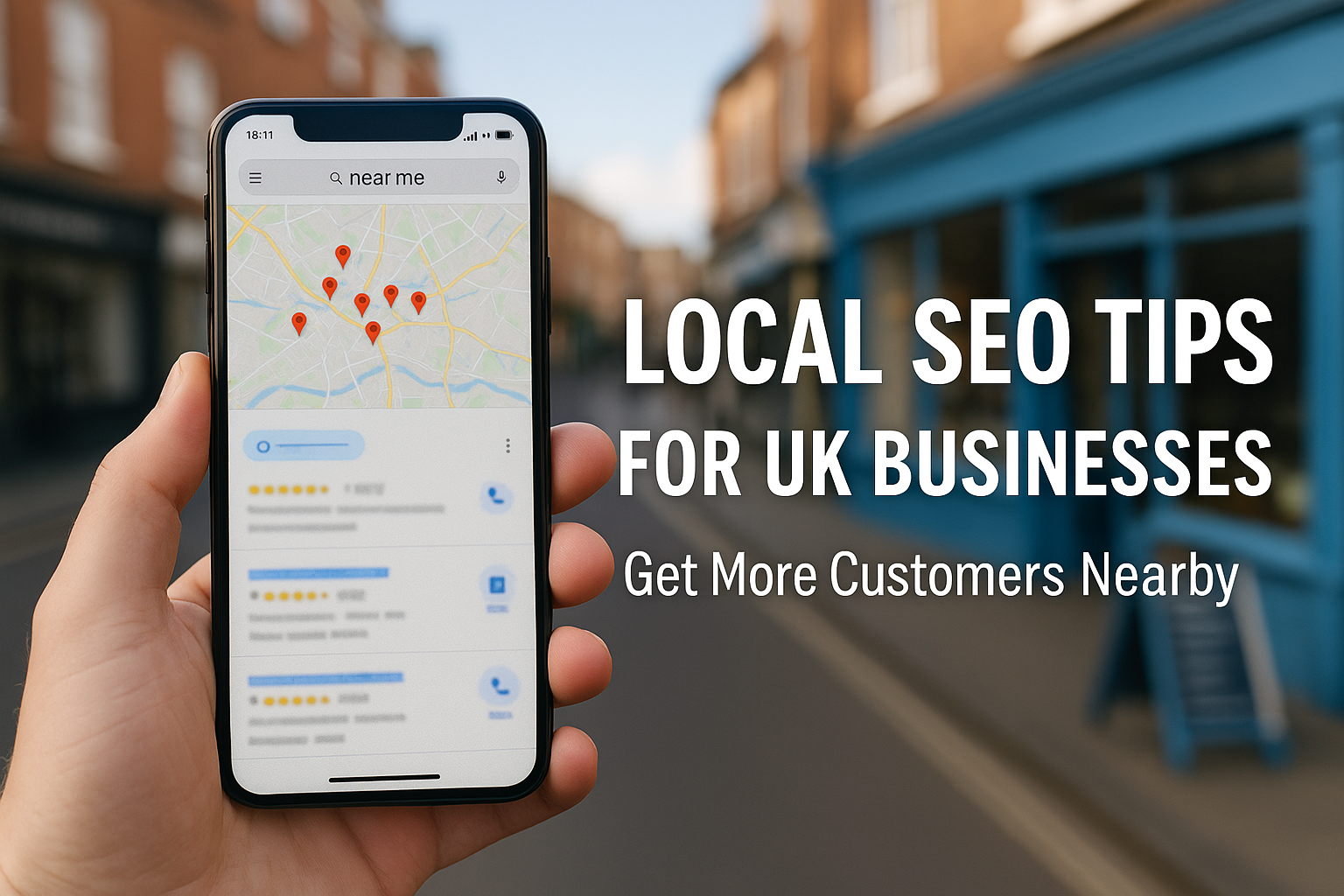
  • Local SEO Tips for UK Businesses (Get More Customers Nearby)

    Local SEO Tips for UK Businesses (Get More Customers Nearby)

    If you run a local business in the UK, your website isn’t just a digital business card — it’s a magnet for nearby customers. The trick is making sure Google actually shows your site when someone searches “near me.”

    That’s where Local SEO (Search Engine Optimisation) comes in. And the good news is, you don’t need a huge budget or a marketing agency to get started. A few smart moves can make all the difference.


    Why Local SEO Matters

    Think about your own habits. When you’re looking for a café, plumber, or hairdresser, you don’t search the whole internet — you type “near me” or the name of your town.

    Google then pulls up a shortlist of nearby businesses. If your business isn’t there, you’re invisible. Simple as that.


    1. Claim and Optimise Your Google Business Profile

    This is step one for every local business.

    • Head to Google Business Profile and claim your listing.
    • Make sure your name, address, and phone number (NAP) are 100% correct.
    • Add opening hours, services, photos, and even posts with offers or updates.

    A well-filled profile is more likely to appear in the map pack (the top 3 businesses Google shows on maps).


    2. Consistency is Key

    Your business details should be the same everywhere:

    • Your website
    • Google Business Profile
    • Social media
    • Online directories

    If Google sees different phone numbers or addresses, it loses confidence and might rank you lower.


    3. Collect Genuine Reviews

    Reviews are one of the strongest local ranking factors.

    • Ask happy customers to leave a Google review.
    • Make it personal: staff asking for reviews by name massively boosts conversion.
    • Respond to every review (good and bad) — it shows you care.

    The more genuine reviews you get, the more trust you build — with both Google and your customers.


    4. Optimise Your Website for Local Keywords

    Don’t just target broad terms like “plumber.” Instead, use:

    • “Plumber in Glasgow”
    • “Emergency plumber in South London”
    • “Best plumber near Manchester city centre”

    Include these naturally in your page titles, headings, and content. Don’t stuff keywords — write for humans first.


    5. Add Location Pages (If Relevant)

    If you serve multiple towns or regions, create a dedicated page for each.
    For example:

    • /plumber-glasgow
    • /plumber-edinburgh

    Each page should have unique content tailored to that location, not just copy-paste.


    6. Get Local Backlinks

    Links from other websites help your rankings, and local links are especially powerful.

    • Partner with nearby businesses and swap links.
    • Get listed in local directories.
    • Sponsor a local event or charity (these often come with a backlink).

    7. Use Schema Markup (Optional, But Helpful)

    This is a bit more technical, but adding Local Business schema to your website helps Google understand your details better. Many WordPress SEO plugins (like Yoast or Rank Math) make this easy.


    Final Thoughts

    Local SEO isn’t about tricking Google. It’s about making your business easy to find, trust, and choose. With a well-optimised profile, consistent details, and a steady flow of reviews, you’ll be miles ahead of most competitors.

    If you’re a small business owner in the UK, these steps can bring in more foot traffic, more calls, and more loyal customers — all without spending a fortune on ads.

    Subscribe To Our Newsletter

    Loading
  • Best Website Platforms for UK Small Businesses (WordPress vs Squarespace vs Wix)

    Best Website Platforms for UK Small Businesses (WordPress vs Squarespace vs Wix)

    One of the first questions every new business asks me is: “What’s the best platform to build my website on?”

    The truth is, there’s no one-size-fits-all answer. It depends on your goals, your budget, and how much control you want over your site. But after working with dozens of small businesses (and running my own), I’ve seen the pros and cons of the three biggest players: WordPress, Squarespace, and Wix.

    Here’s my take on each — and which one might be right for your business.


    WordPress: The Flexible Powerhouse

    WordPress is by far the most popular website platform in the world. Nearly half of all websites run on it — and for good reason.

    Pros:

    • Extremely flexible — you can build anything from a simple blog to a full e-commerce shop.
    • Thousands of plugins and themes to add extra features.
    • Affordable hosting (I personally recommend Ionos, who I’ve trusted for decades).
    • Great for SEO with tools like Yoast SEO.

    Cons:

    • Slightly steeper learning curve.
    • Needs a bit of setup (domain + hosting).
    • You’re responsible for updates and security (though most hosts make this easy).

    👉 Best for: Businesses that want flexibility, scalability, and the lowest long-term costs.


    Squarespace: The Designer’s Choice

    Squarespace is the opposite of WordPress — everything is hosted for you, with sleek templates and drag-and-drop design.

    Pros:

    • Beautiful, ready-made templates.
    • Hosting, security, and support all included.
    • Easy to set up — no tech skills needed.
    • Perfect for creative businesses like photographers, designers, or consultants.

    Cons:

    • Less flexible than WordPress (you’re limited to what Squarespace offers).
    • More expensive monthly cost.
    • Not as strong for SEO as WordPress, though it’s improving.

    👉 Best for: Businesses that want something simple, stylish, and fast to launch.


    Wix: The Beginner-Friendly Option

    Wix is another “all-in-one” website builder, often compared to Squarespace but with more drag-and-drop freedom.

    Pros:

    • Very beginner-friendly with lots of templates.
    • Hosting included.
    • App market for adding features.
    • Free plan available (with Wix branding).

    Cons:

    • Can feel “locked in” — once you choose a template, you can’t switch.
    • SEO tools are weaker compared to WordPress.
    • Sites can feel slower or less professional if not designed carefully.

    👉 Best for: Startups on a budget who just want to get something live quickly.


    So, Which One Should You Choose?

    If you’re serious about building a long-term online presence, WordPress is my top recommendation. It gives you the most control, scales with your business, and has the best tools for SEO and growth.

    But if you’d rather avoid the technical side and just want something that “works out of the box,” Squarespace or Wix might be a better fit — just be aware of the trade-offs.

    At the end of the day, the “best” platform is the one you’ll actually use and keep updated. A simple, well-maintained website will always beat a complex one that sits half-finished.


    Final Thoughts

    Your website is often the first impression a customer gets of your business. Whether you choose WordPress, Squarespace, or Wix, the key is to make it clear, professional, and customer-focused.

    Don’t overthink it — pick a platform, get online, and start building your presence. You can always refine and upgrade as you grow.

    Subscribe To Our Newsletter

    Loading
  • How to Set Up a Professional Business Email for Free

    How to Set Up a Professional Business Email for Free

    When you’re starting a business, first impressions matter. One of the easiest ways to look professional is with your email address. Yet I still see so many businesses using yourbusiness@gmail.com or worse — a random Hotmail account.

    If you want customers to take you seriously, you need a business email that matches your domain name. The good news? You can set one up for free (or very cheaply) in just a few steps.


    Why a Professional Email Address Matters

    Imagine enquiring about a service and getting a reply from joebuilder123@hotmail.co.uk. Does that scream trustworthy, reliable business? Not really.

    A branded email address (like hello@yourbusiness.co.uk) instantly tells customers you’re legitimate. It also keeps your communication consistent across your website, invoices, and marketing.


    Step 1: Secure Your Domain Name

    Before you can create a professional email, you need a domain name (e.g. yourbusiness.co.uk).
    I personally use Ionos (formerly 1&1) because I’ve relied on them for decades. Their domain packages are affordable and easy to manage.

    Alternatives like Squarespace or Wix also include domain + email bundles, but in this guide I’ll focus on the WordPress + Ionos route, because it’s more flexible and usually cheaper in the long run.


    Step 2: Set Up Email Hosting

    Once you’ve got your domain, most providers will offer at least one free email inbox with your package.

    For example, with Ionos you can set up something like:

    • info@yourbusiness.co.uk
    • sales@yourbusiness.co.uk
    • or better yet, a personal one like firstname@yourbusiness.co.uk

    This inbox will work just like Gmail or Outlook, but with your professional domain name.


    Step 3: Connect to Gmail (Optional, But Handy)

    If you prefer the Gmail interface, you don’t need to give it up. You can forward your domain emails into Gmail and even send emails from Gmail using your business address.

    That way, you get the best of both worlds: professional branding with the convenience of Gmail’s tools.


    Step 4: Decide Your Naming Format

    It’s worth taking a moment to think about consistency. Do you want emails to look like:

    • hello@yourbusiness.co.uk
    • support@yourbusiness.co.uk
    • firstname.lastname@yourbusiness.co.uk

    There’s no wrong answer — just pick a format and stick to it. This avoids confusion later if you expand your team.


    Step 5: Add It to Your Website and Materials

    Once you’ve got your professional email set up, make sure it’s visible:

    • On your website contact page
    • In your footer
    • On your invoices and quotes
    • In your Google Business Profile

    The more consistent your contact details are across the web, the more trust you build with both customers and Google.


    Final Thoughts

    Setting up a professional business email doesn’t need to cost the earth — in fact, it can be free with most domain providers. For something that takes less than an hour, the boost in credibility is huge.

    If you’re still using a personal email for your business, now’s the time to make the switch.

    Subscribe To Our Newsletter

    Loading
  • 10 Mistakes UK Startups Make in Their First Year

    10 Mistakes UK Startups Make in Their First Year

    Starting a business is exciting — but it’s also when most mistakes happen. I’ve worked with countless small businesses over the years, and I’ve seen the same slip-ups repeated time and again. Some are small and easy to recover from. Others can sink a business before it really gets off the ground.

    Here are the 10 most common mistakes UK startups make in their first year — and how to avoid them.


    1. Not Registering the Business Properly

    It sounds obvious, but I’ve seen people start trading without checking if their name is available at Companies House. Or worse, they build a brand and then discover the domain name is already taken.

    Fix it: Before you launch, check Companies House, domain availability, and social handles. Get your business set up legally and consistently from day one.


    2. Trying to Do Everything Alone

    A lot of founders think they need to be the marketer, accountant, salesperson, and operations manager all at once. That’s how burnout happens.

    Fix it: Outsource the things you’re not good at, even if it’s just bookkeeping or design. Free yourself up to focus on what you actually do best.


    3. Ignoring Cash Flow

    Profit looks good on paper, but cash flow is what keeps the lights on. Many startups underestimate how long it takes to actually get paid.

    Fix it: Keep a close eye on cash flow, not just sales. Have a buffer for late payments and plan your expenses carefully.


    4. Skipping a Business Plan

    Some people jump in without a plan because it feels exciting to just “get started.” But without a roadmap, it’s easy to drift and make poor decisions.

    Fix it: You don’t need a 40-page plan. A one-page outline of goals, audience, budget, and strategy is enough to keep you focused.


    5. Undervaluing Products and Services

    Many startups start by pricing too low to “attract customers.” That usually backfires, because cheap prices suggest low quality.

    Fix it: Research your market and price based on the value you deliver. Customers will pay for quality if you communicate it well.


    6. Neglecting Marketing Early On

    Some founders think customers will just “find them.” They don’t.

    Fix it: Build a basic marketing strategy from the start — a simple website, local SEO, and one or two social platforms where your audience actually spends time.


    7. Poor Customer Service

    It doesn’t matter how good your product is if your customer experience is poor. I’ve seen new businesses lose customers after a single bad interaction.

    Fix it: Prioritise communication, response times, and treating people with respect. Customers forgive mistakes if they feel heard.


    8. Not Tracking Performance

    Too many startups don’t measure anything — so they don’t know what’s working and what isn’t.

    Fix it: Track the basics: website traffic, conversion rates, customer feedback, and repeat sales. You don’t need fancy software — even a simple spreadsheet will do.


    9. Overspending Too Early

    It’s tempting to splash out on branding, office space, or expensive tools before you’ve made your first pound.

    Fix it: Keep things lean. Only spend where it makes a clear difference to sales or customer experience.


    10. Giving Up Too Soon

    This is probably the biggest mistake I see. The first year is tough, but so many businesses quit before they’ve had the chance to build momentum.

    Fix it: Expect setbacks. Learn from complaints, adjust your strategy, and keep moving. Success rarely happens overnight.


    Final Thoughts

    The first year of running a startup is never perfect — you will make mistakes. The key is to learn fast, adapt, and avoid the common pitfalls that trip up so many others.

    If you can sidestep these 10 mistakes, you’ll be giving your business the best chance not only to survive, but to grow.

    Subscribe To Our Newsletter

    Loading